









Sale
School Management ERP
Complete offline school management software for Windows
Complete offline school management software for Windows — admissions, students, attendance, exams, fees, accounting, payroll, timetable, library, transport and more. One license key activates one PC. View Documentation
- Latest Version
- 1.6.0
- Last Updated
- October 5, 2026
About This Product
Run your whole school from one PC, even without internet
School Management ERP is a complete school administration system that runs on your own Windows computer. Your records stay on your machine, everything works offline, and you don't pay a monthly subscription. This is the Enterprise edition: every module is included, with a lifetime license.
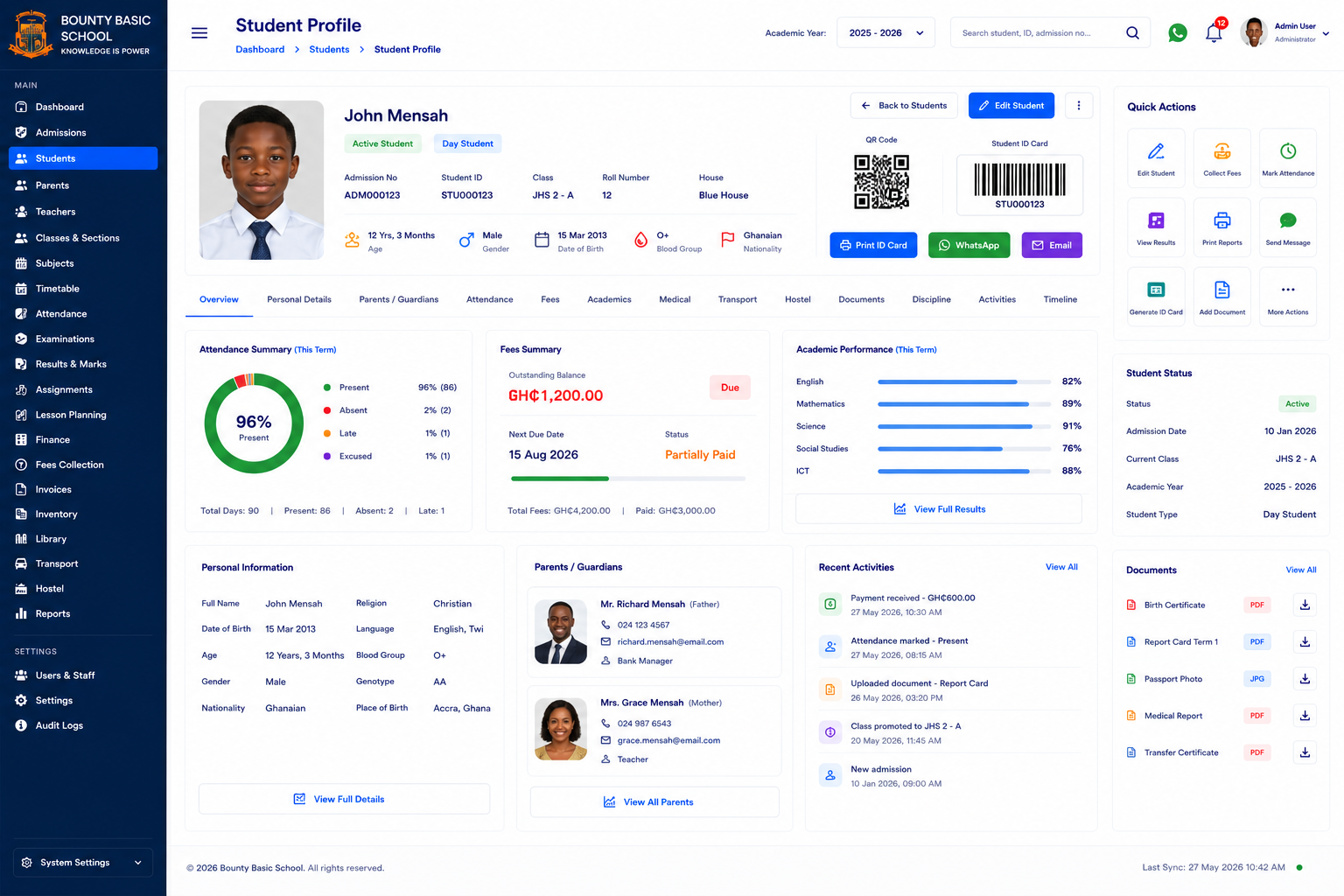
Students & admissions
- Admissions from application to enrolment, with automatic admission numbers
- Full student records, parents and guardians, alumni and boarding
- Discipline records and printable certificates
Teaching & academics
- Classes, subjects and sections
- Timetable builder
- Daily attendance with present, late and absent tracking
- Examinations, mark entry and results
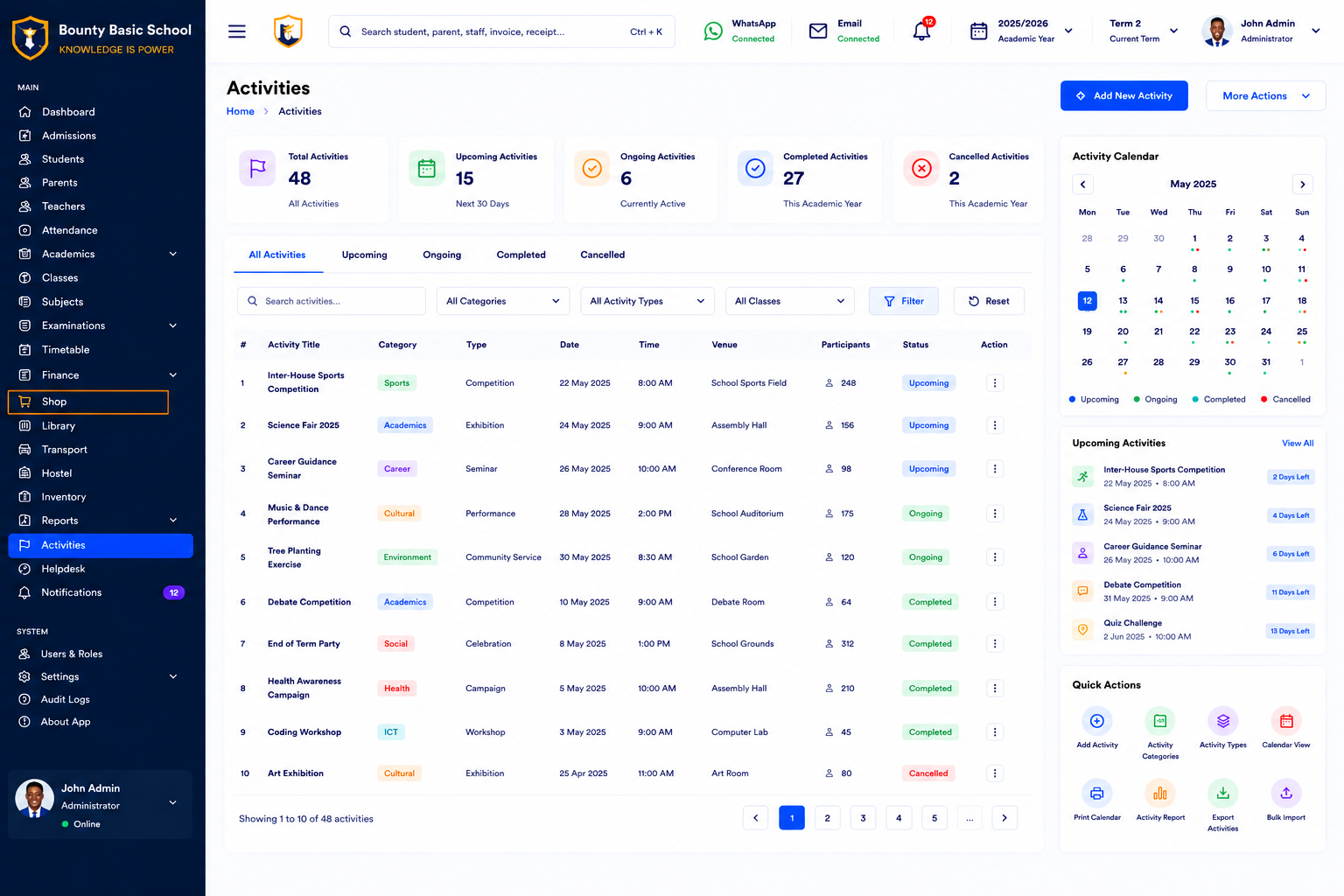
- Co-curricular activities
Fees & finance
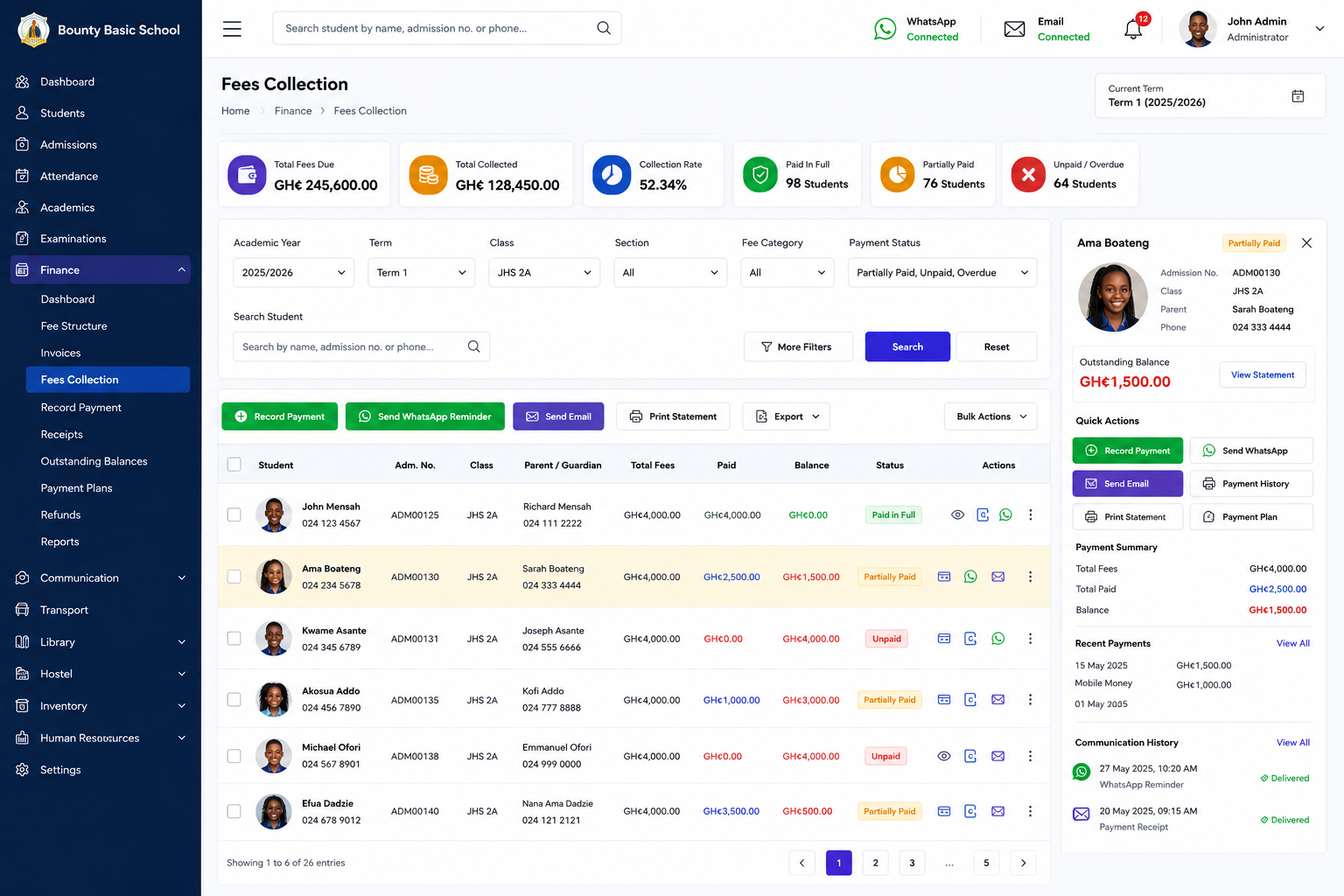
- Fee structures, invoices, receipts and fee collection
- See who owes, how much, and how many days late, and send reminders in one click
- Accounting, daily accounts, income and expenses
- Staff payroll
School operations
- Library, inventory and suppliers
- Transport: vehicles, routes and riders
- School shop with stock
Communication & parents
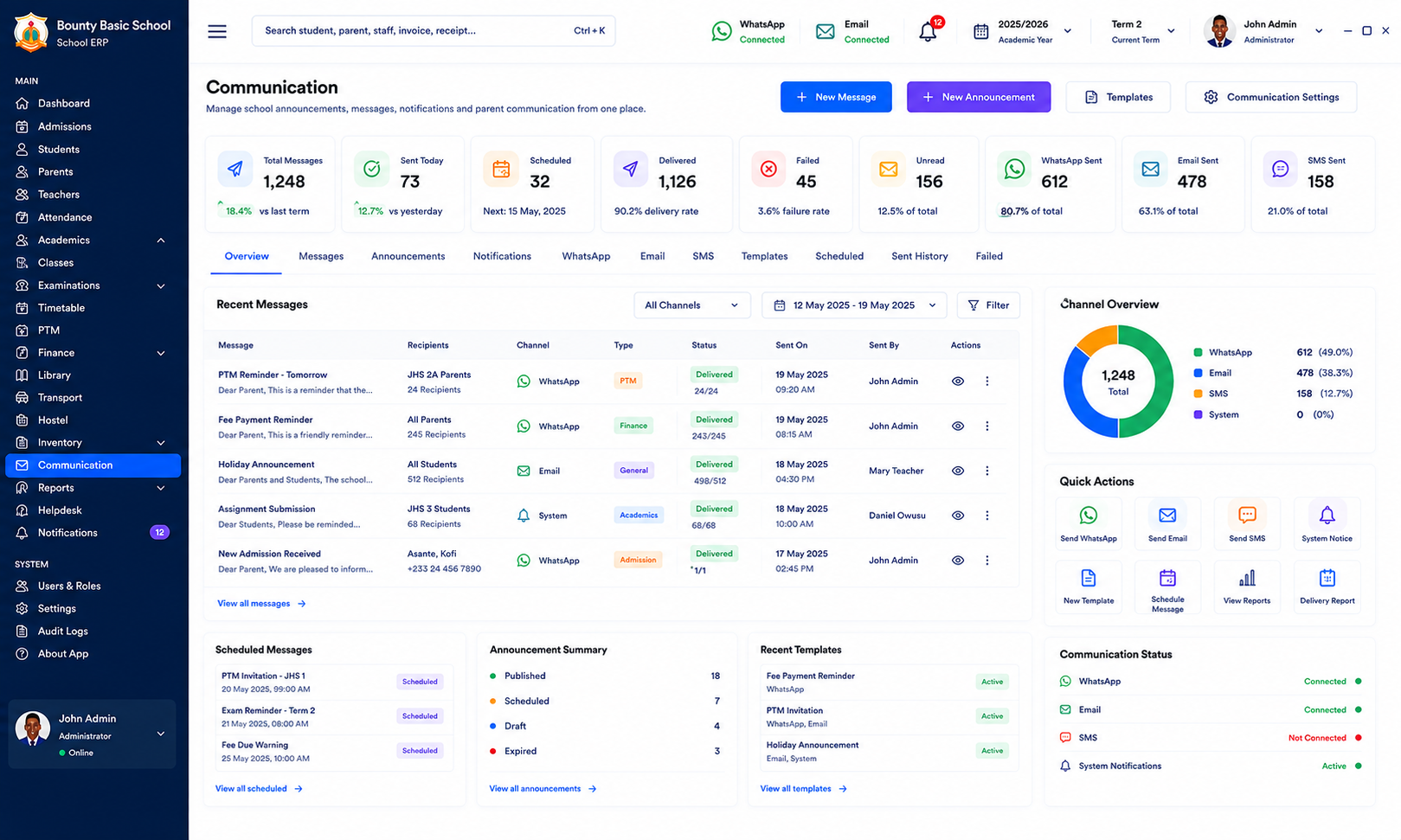
- SMS, email and WhatsApp messaging to parents and staff
- Announcements, school calendar and events
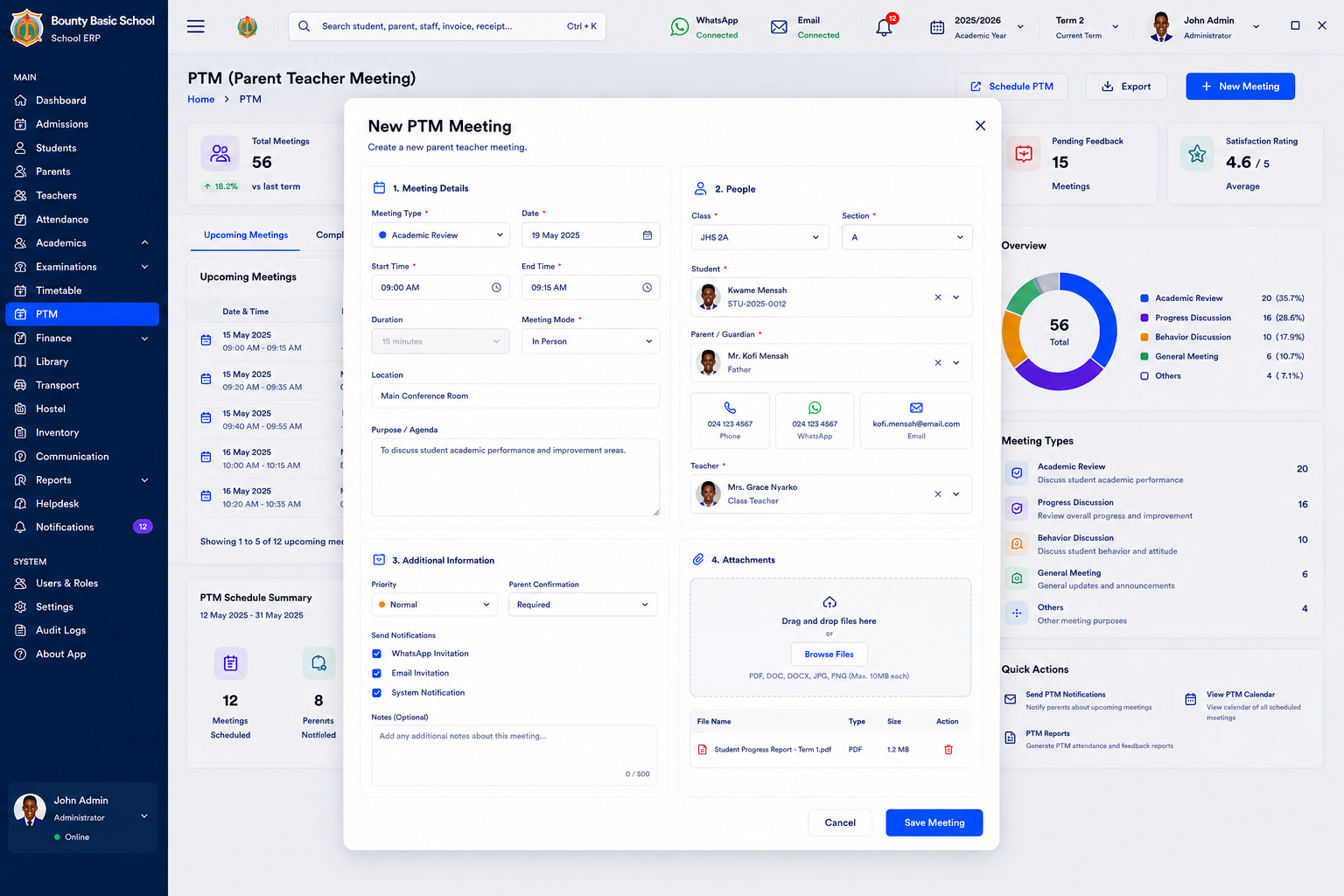
- Parent-teacher meetings, help desk and complaints
- Parent portal: parents sign in to see their child's fees, payments and attendance
Administration & security
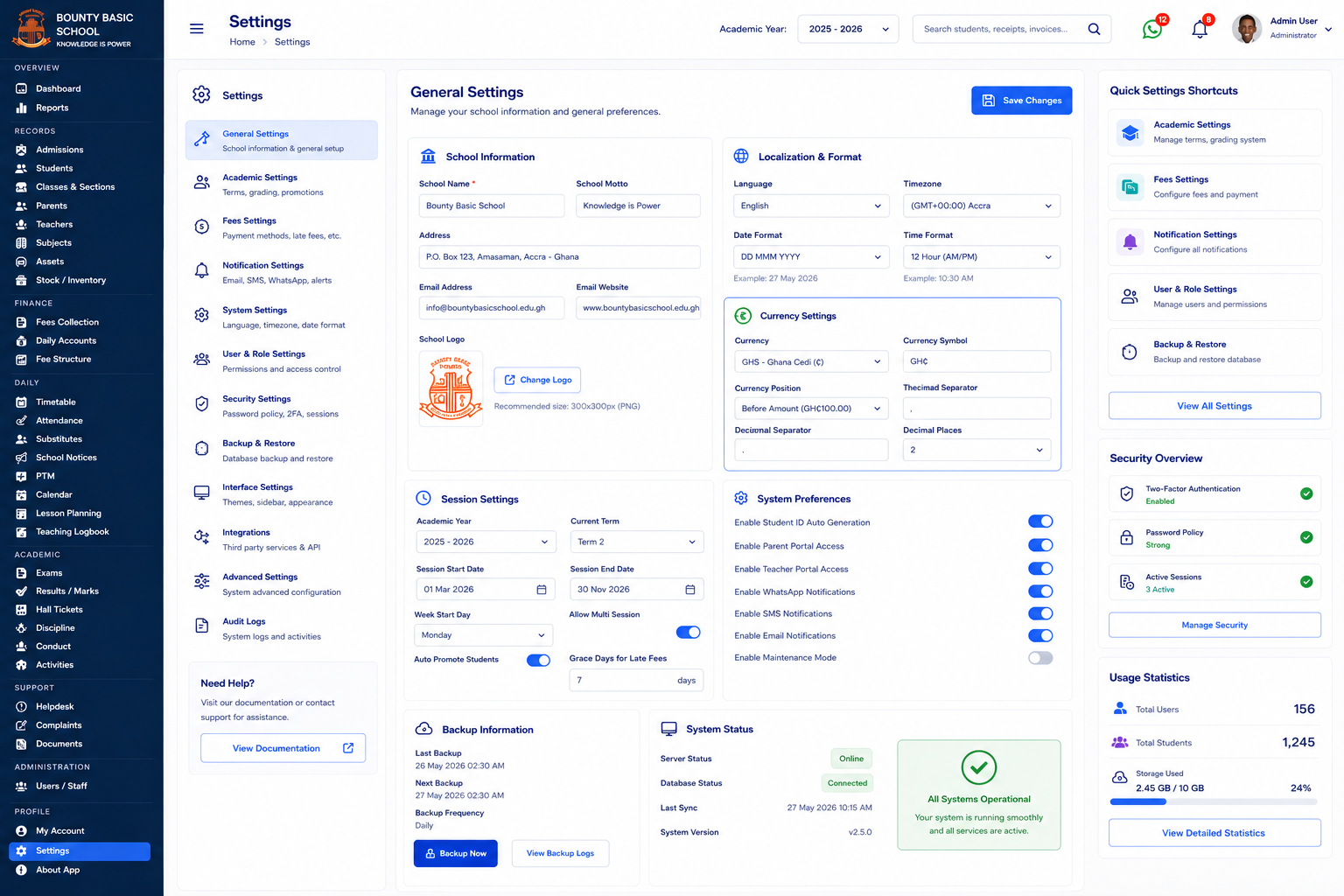
- Users with roles and permissions, so each staff member sees only what they need
- Full audit log of who did what, and when
- One-click backups, optional cloud sync, and a system status page
- Dashboard with attendance trends, income vs expenses, outstanding fees and recent activity
How licensing works
- Free 7-day trial: download, install and use every module for 7 days. After that, enter a license key to keep going — nothing you entered is lost.
- One license key activates one PC. To use it on several PCs, buy a higher quantity and you'll receive one key for each.
- You need an internet connection only once, to activate. After that the software runs offline.
- To change computers, click Deactivate on the old PC, then activate on the new one.
After purchase
- Download and unzip the installer, then run School Management ERP-Setup-1.6.0.exe.
- Sign in and open Settings › Licensing.
- Enter your license key under Activate with license key and click Activate on this PC (internet needed for this step only).
Moving to a new PC? Click Deactivate on the old PC first, then activate on the new one.
Features
- Admissions — applications to enrolment, automatic admission numbers
- Student records, parents & guardians, alumni and boarding
- Teachers & staff records with roles and permissions
- Classes, subjects, sections and a timetable builder
- Daily attendance — present, late and absent tracking
- Examinations, mark entry, results and report cards
- Fees — fee structures, invoices, receipts, reminders and arrears
- Accounting, daily accounts, income and expenses
- Staff payroll
- Library, inventory, suppliers and school shop
- Transport — vehicles, routes and riders
- SMS, email and WhatsApp messaging to parents and staff
- Parent portal — fees, payments and attendance for each child
- Calendar, events, parent-teacher meetings, help desk and complaints
- Reports, audit log, one-click backups and optional cloud sync
- Works fully offline on your own PC — your data stays with you
- Free 7-day trial with every module unlocked
Requirements
- Windows 10 or Windows 11 (64-bit)
- About 400 MB of free disk space (the app is about 310 MB, plus your school's data and backups)
- No administrator rights needed to install
- Internet connection only to activate your license key
- Internet also needed for the optional SMS, email, WhatsApp messaging and cloud sync
Reviews
There are no reviews yet.